For large model training and infrastructure engineers
Separate RoCE v2 GID routing mismatches from DeepSpeed ZeRO-3 stage stalls on Scaleway.
Preserve NCCL RoCE Global Identifier (GID) table selections, Priority Flow Control (PFC) indicators, and DeepSpeed parameter partitioning logs when multi-node jobs freeze.
Free 30-day Team evaluation. No card or automatic subscription. Work email verification required.
Replay a resolved Scaleway multi-node DeepSpeed incident
Upload your log file. Review the selected evidence and masking, then run diagnosis. Keep the original log for any follow-up questions.
Before uploading, review cloud data handling and local options.
Upload your log file. Large files are processed in your browser. Only selected evidence is submitted when you run diagnosis.
Try Denpex for 30 days. FREE.
No credit card. No automatic subscription. See whether Denpex helps with an incident you already understand.
Start your free 30-day Team evaluation
Up to 50 diagnoses a day for 30 days. Verify your work email to activate an eligible company evaluation, then replay a resolved incident and compare the evidence and next steps with your team's confirmed cause.
What a useful evaluation should establish
Distinguish underlying RoCE network transport protocol negotiation issues from distributed framework memory deadlocks.
Use Denpex alongside your existing telemetry tools to investigate submitted incident evidence. With monitoring configured on a supported plan, detected failures can trigger alerts and an automatic diagnosis from the captured evidence.
Inside Denpex
See the evidence, not just the claim
Follow the causal chain, inspect the quoted evidence and prepare the next handoff. These actual product captures use founder-account examples and the VS Code extension, with the source identified under each image. Open a capture to inspect it at full size.
Follow the failure through the cascade
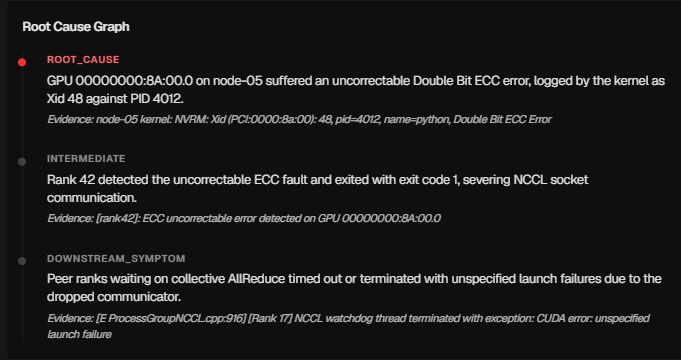
Prepare the hardware escalation

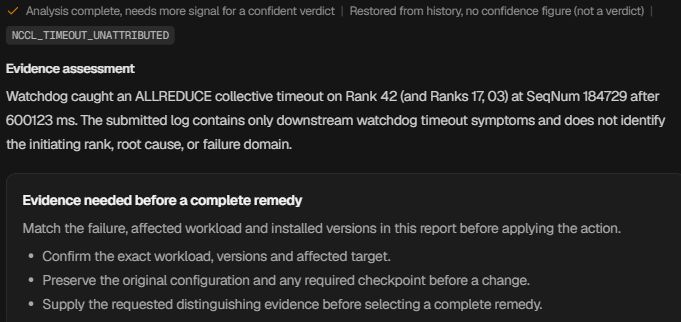
Ask for the evidence that is missing
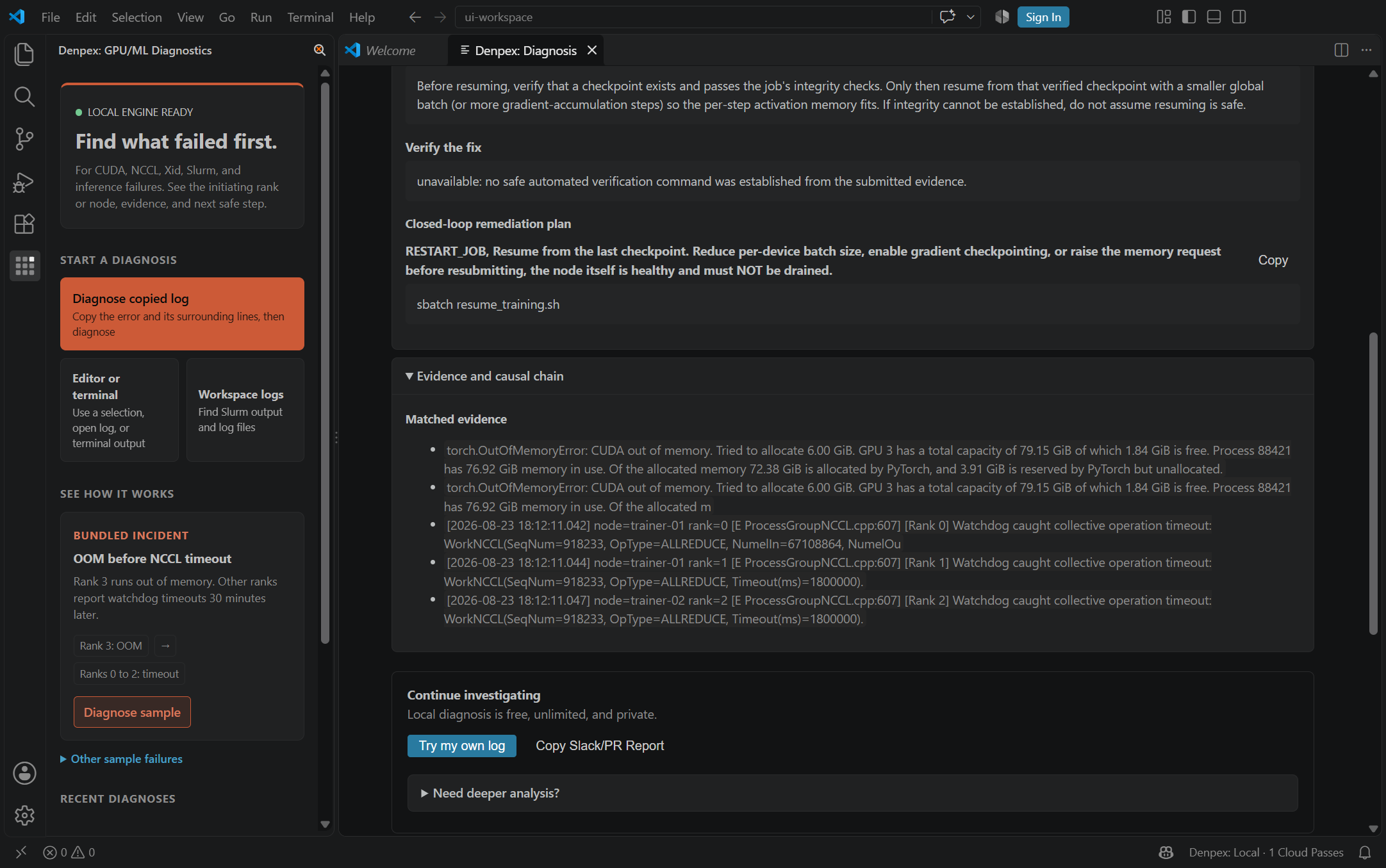
Keep the investigation in the editor
Scaleway - Observed Runtime Evidence
Incident pattern summary
A 2-node Scaleway H100 job running DeepSpeed ZeRO-3 freezes after step 1 without emitting a Python exception until the 30-minute timeout triggers. The NCCL initialization log shows Rank 0 selected an IPv4-mapped RoCE v1 GID while Rank 8 fell back to TCP socket transport.
scw-gpu-node-1:512:589 [0] NCCL INFO NET/IB : Using [0]mlx5_0:1/RoCE [1]mlx5_1:1/RoCE ; OOB eno1:10.68.1.12<0>
scw-gpu-node-2:498:544 [8] NCCL WARN NET/IB : Unable to query GID 3 on device mlx5_0, falling back to GID 0
[2026-10-18 14:22:09,112] [WARNING] [stage3.py:1942:step] DeepSpeed ZeRO-3 coordinator waiting on rank 8 in_flight_all_gather
Recommended verification flags
Set these environment flags in your training container or launch script to capture high-resolution collective logs:
NCCL_DEBUG=INFONCCL_IB_GID_INDEX=3NCCL_IB_HCA=mlx5DEEPSPEED_TIMEOUT=15Diagnostic Scope Boundary
Denpex cannot alter Scaleway top-of-rack switch ECN/PFC configurations or private VPC routing tables. The evaluation pinpoints protocol mismatches between your container environment and the underlying fabric.
Other GPU Cloud Failure Workflows
Compare evidence patterns across multi-node fabrics, Kubernetes pods, and bare-metal environments.