For 国内ai研究開発チームおよびインフラ運用エンジニア
さくら高火力サービスにおけるH100 NDR/RoCE NCCLタイムアウトの自動診断
Mellanox ConnectX-7アダプタのQP枯渇、ノード間テナント接続の不整合、および16bit学習時のPCIe AER内部エラーを特定します。
Free 30-day Team evaluation. No card or automatic subscription. Work email verification required.
さくら高火力のマルチノード障害ログを再生
Upload your log file. Review the selected evidence and masking, then run diagnosis. Keep the original log for any follow-up questions.
Before uploading, review cloud data handling and local options.
Upload your log file. Large files are processed in your browser. Only selected evidence is submitted when you run diagnosis.
Try Denpex for 30 days. FREE.
No credit card. No automatic subscription. See whether Denpex helps with an incident you already understand.
Start your free 30-day Team evaluation
Up to 50 diagnoses a day for 30 days. Verify your work email to activate an eligible company evaluation, then replay a resolved incident and compare the evidence and next steps with your team's confirmed cause.
What a useful evaluation should establish
待機中の正常なGPUノードを誤って再起動することなく、根本原因となった劣化したHCAポートまたはリンク障害を正確に特定します。
Use Denpex alongside your existing telemetry tools to investigate submitted incident evidence. With monitoring configured on a supported plan, detected failures can trigger alerts and an automatic diagnosis from the captured evidence.
Inside Denpex
See the evidence, not just the claim
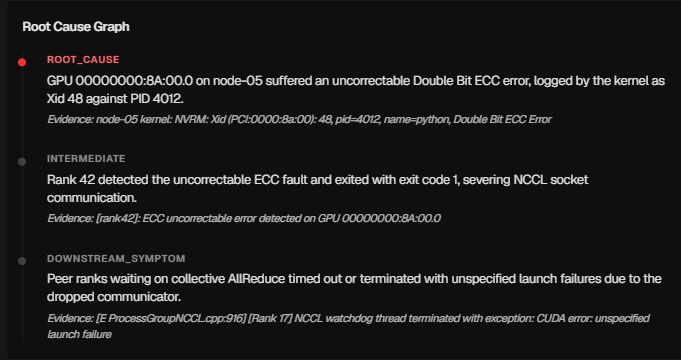
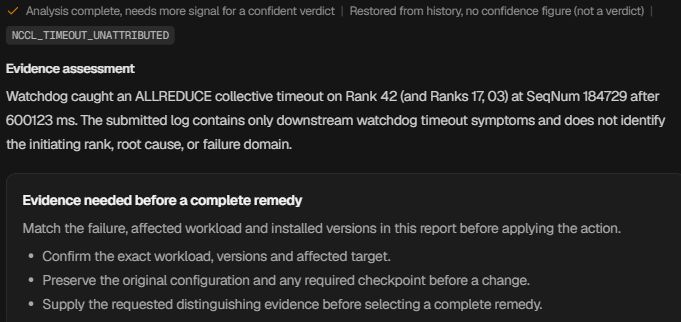
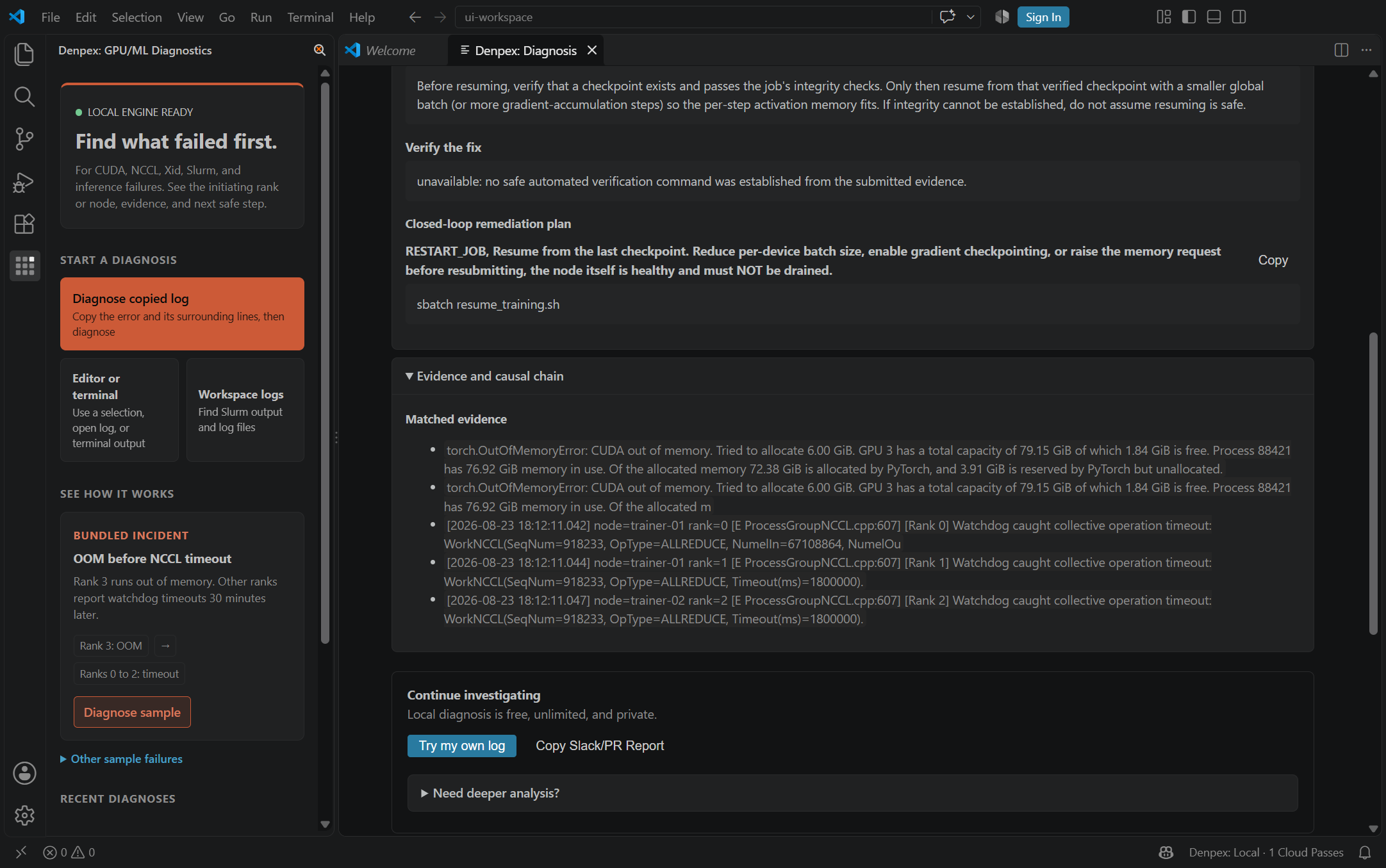
Follow the causal chain, inspect the quoted evidence and prepare the next handoff. These actual product captures use founder-account examples and the VS Code extension, with the source identified under each image. Open a capture to inspect it at full size.
Follow the failure through the cascade
Prepare the hardware escalation

Ask for the evidence that is missing
Keep the investigation in the editor
さくらインターネット 高火力 - Observed Runtime Evidence
Incident pattern summary
さくらインターネット高火力のH100ノード間で実行される分散学習が、最初のAllReduceステップで停止。NCCL_IB_HCAインターフェースバインドの不整合とRoCEパケットドロップを特定し、ハードウェア故障と設定不整合を正確に切り分けます。
[rank 3]:[../../../../../../csrc/distributed/ProcessGroupNCCL.cpp:732] [Rank 3] Watchdog caught collective operation timeout: WorkState::InProgress, opType: 1 (ALLREDUCE), p2p: 0, timeout (sec): 60
[E 2026-10-28 01:14:22.091422 3421107] NCCL WARN Connect to [10.100.4.12:15432]: Transport endpoint is not connected
[FATAL] NCCL error: unhandled system error / cma failure in ibv_poll_cq
Recommended verification flags
Set these environment flags in your training container or launch script to capture high-resolution collective logs:
NCCL_DEBUG=INFONCCL_IB_HCA=mlx5NCCL_IB_GID_INDEX=3TORCH_NCCL_ASYNC_ERROR_HANDLING=1Diagnostic Scope Boundary
Denpexはさくらインターネットの物理ネットワークスイッチや管理コンソールを直接変更することはできません。ログ証拠を構造化し、迅速なサポートエスカレーションを支援します。
Other GPU Cloud Failure Workflows
Compare evidence patterns across multi-node fabrics, Kubernetes pods, and bare-metal environments.