For runpod gpu platform and training engineers
Separate container socket misrouting from a true worker stall on RunPod.
Keep container network interface bindings, Pod or Instant Cluster lifecycle logs, and rank-0 rendezvous traces beside the first ProcessGroupNCCL watchdog exception.
Free 30-day Team evaluation. No card or automatic subscription. Work email verification required.
Replay a resolved RunPod multi-node training incident
Upload your log file. Review the selected evidence and masking, then run diagnosis. Keep the original log for any follow-up questions.
Before uploading, review cloud data handling and local options.
Upload your log file. Large files are processed in your browser. Only selected evidence is submitted when you run diagnosis.
Try Denpex for 30 days. FREE.
No credit card. No automatic subscription. See whether Denpex helps with an incident you already understand.
Start your free 30-day Team evaluation
Up to 50 diagnoses a day for 30 days. Verify your work email to activate an eligible company evaluation, then replay a resolved incident and compare the evidence and next steps with your team's confirmed cause.
What a useful evaluation should establish
Compare the proposed failure class, quoted evidence, and suggested ownership with your resolved ticket. A useful handoff distinguishes container networking symptoms from true GPU hardware drops.
Use Denpex alongside your existing telemetry tools to investigate submitted incident evidence. With monitoring configured on a supported plan, detected failures can trigger alerts and an automatic diagnosis from the captured evidence.
Inside Denpex
See the evidence, not just the claim
Follow the causal chain, inspect the quoted evidence and prepare the next handoff. These actual product captures use founder-account examples and the VS Code extension, with the source identified under each image. Open a capture to inspect it at full size.
Follow the failure through the cascade
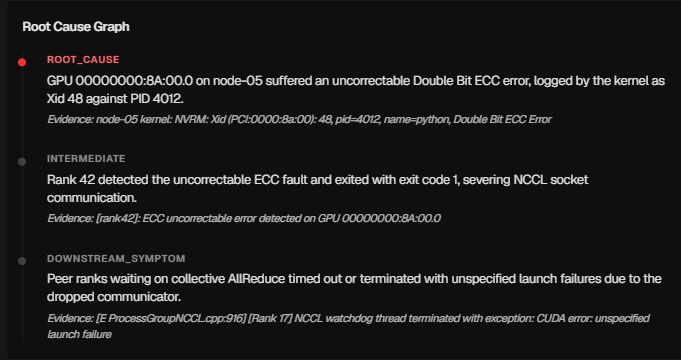
Prepare the hardware escalation

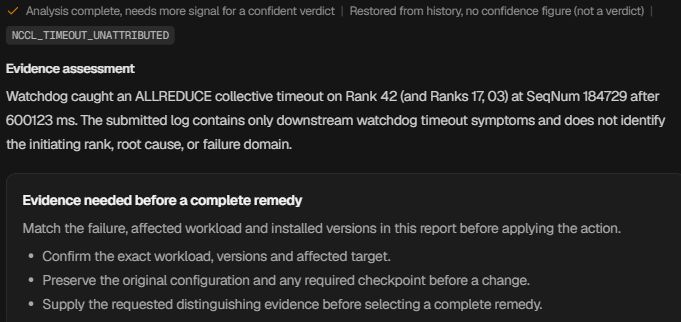
Ask for the evidence that is missing
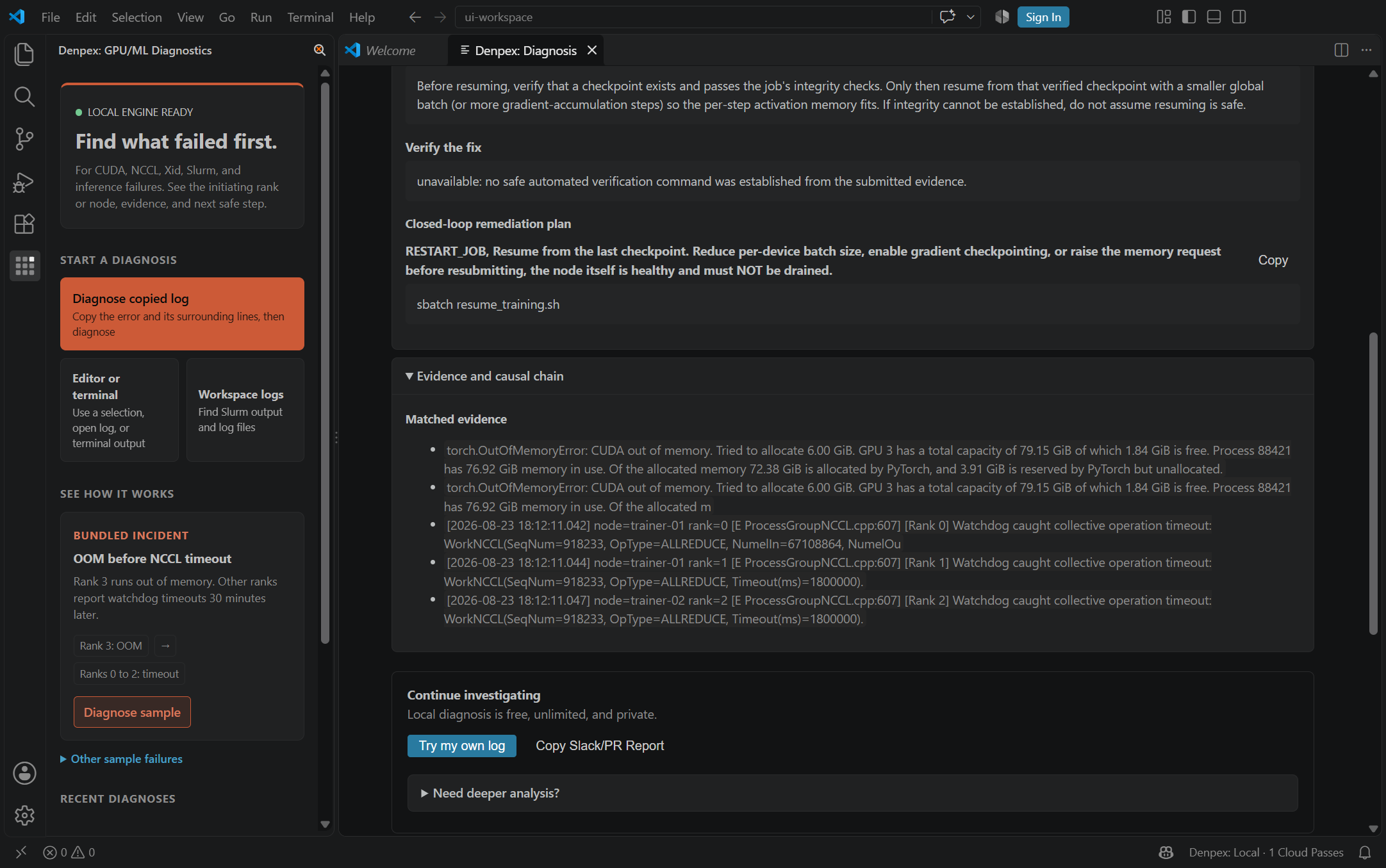
Keep the investigation in the editor
RunPod - Observed Runtime Evidence
Incident pattern summary
A 2-node PyTorch DDP run on RunPod hits WorkNCCL collective timeout during AllReduce. Preserve NCCL_DEBUG=INFO interface initialization logs to verify whether NCCL attempted to bind docker0 or eth0 before treating the timeout as a hardware fault.
[E ProcessGroupNCCL.cpp:915] [Rank 0] Watchdog caught collective operation timeout: WorkNCCL(SeqNum=4, OpType=ALLREDUCE, NumelIn=67108864, Timeout(ms)=600000) ran for 600082 ms before timing out.
runpod-worker-0:142:189 [0] NCCL INFO Bootstrap : Using eth0:10.244.1.18<0>
runpod-worker-0:142:189 [0] NCCL WARN Connect to 172.17.0.1<49211> failed : Connection timed out
Recommended verification flags
Set these environment flags in your training container or launch script to capture high-resolution collective logs:
NCCL_DEBUG=INFONCCL_SOCKET_IFNAME=eth0TORCH_DISTRIBUTED_DEBUG=DETAILTORCH_NCCL_ASYNC_ERROR_HANDLING=1Diagnostic Scope Boundary
Denpex cannot inspect private RunPod hypervisor state from a log upload or reconfigure container virtual NICs. The evaluation structures log evidence for your engineering and provider support handoff.
Other GPU Cloud Failure Workflows
Compare evidence patterns across multi-node fabrics, Kubernetes pods, and bare-metal environments.