For systems engineers and bare-metal cluster operators
Fix vSwitch MTU fragmentation and NCCL socket discovery on Hetzner bare metal.
Separate VLAN vSwitch jumbo frame drops, asymmetric NIC binding, and unconfigured RDMA probes when connecting multi-node GPU servers on Hetzner.
Free 30-day Team evaluation. No card or automatic subscription. Work email verification required.
Replay a resolved Hetzner bare-metal cluster incident
Upload your log file. Review the selected evidence and masking, then run diagnosis. Keep the original log for any follow-up questions.
Before uploading, review cloud data handling and local options.
Upload your log file. Large files are processed in your browser. Only selected evidence is submitted when you run diagnosis.
Try Denpex for 30 days. FREE.
No credit card. No automatic subscription. See whether Denpex helps with an incident you already understand.
Start your free 30-day Team evaluation
Up to 50 diagnoses a day for 30 days. Verify your work email to activate an eligible company evaluation, then replay a resolved incident and compare the evidence and next steps with your team's confirmed cause.
What a useful evaluation should establish
Verify that multi-node connection failures are traced to exact MTU mismatch or socket interface bindings rather than silent framework faults.
Use Denpex alongside your existing telemetry tools to investigate submitted incident evidence. With monitoring configured on a supported plan, detected failures can trigger alerts and an automatic diagnosis from the captured evidence.
Inside Denpex
See the evidence, not just the claim
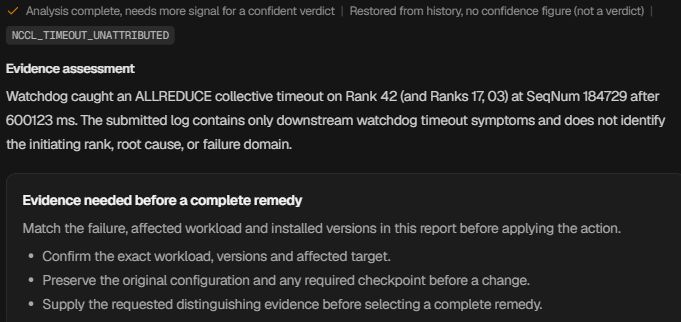
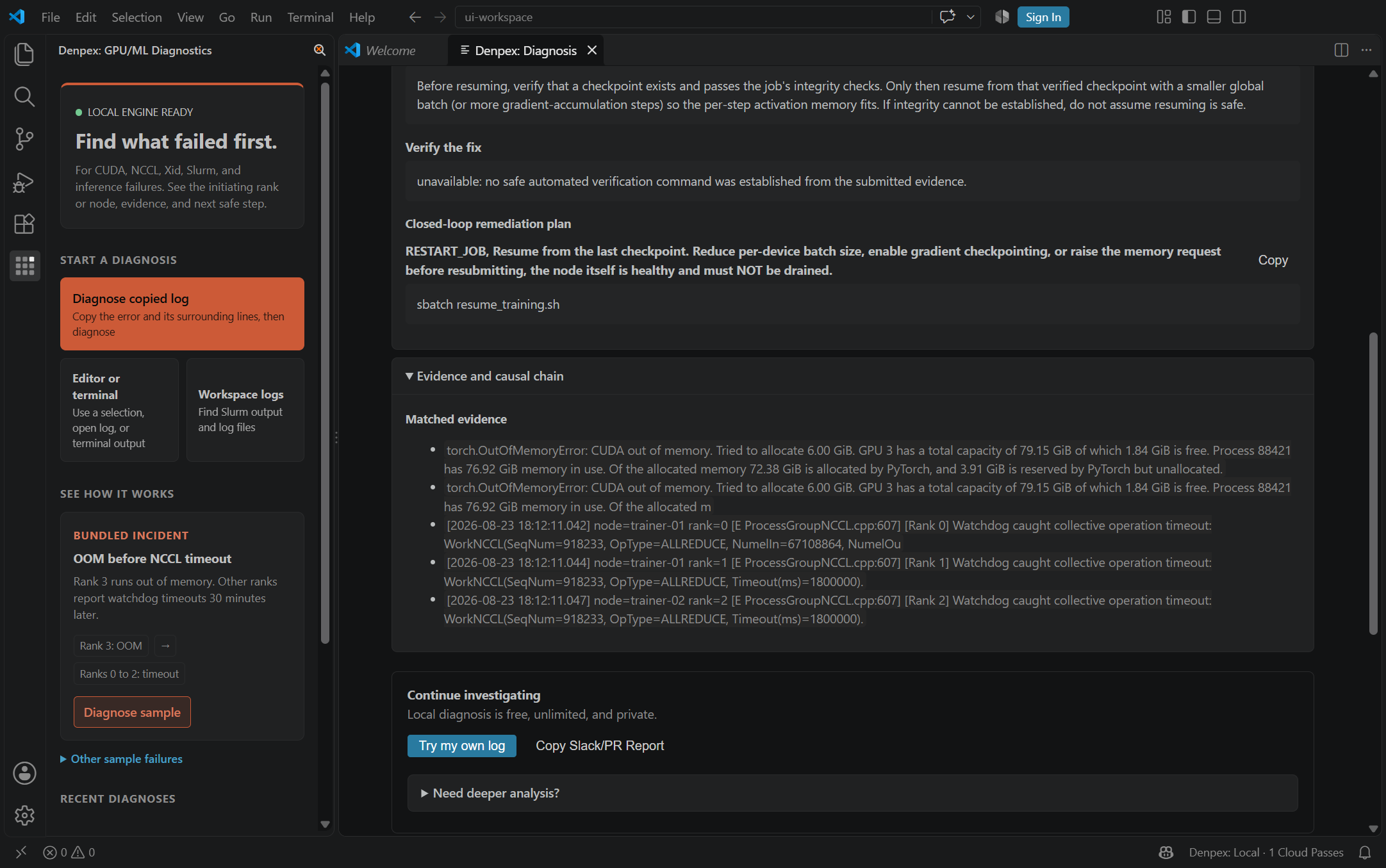
Follow the causal chain, inspect the quoted evidence and prepare the next handoff. These actual product captures use founder-account examples and the VS Code extension, with the source identified under each image. Open a capture to inspect it at full size.
Follow the failure through the cascade
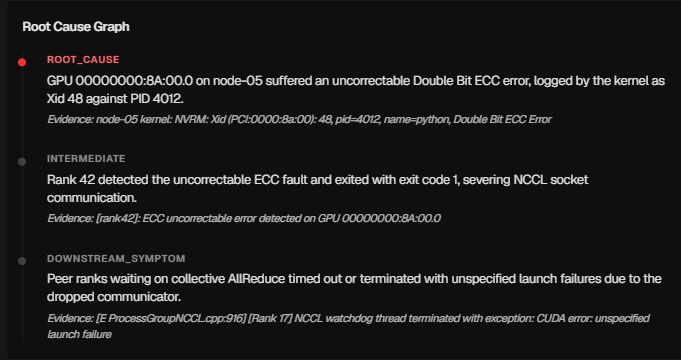
Prepare the hardware escalation

Ask for the evidence that is missing
Keep the investigation in the editor
Hetzner - Observed Runtime Evidence
Incident pattern summary
Two Hetzner dedicated GPU servers connect over a private vSwitch VLAN on interface enp7s0.4000. Control-plane rendezvous succeeds via small TCP packets, but the first large tensor AllReduce hangs indefinitely because the host VLAN sub-interface is set to MTU 1500 while the vSwitch path requires MTU 1400.
hetzner-gpu-01:2104:2140 [0] NCCL INFO Bootstrap : Using enp7s0.4000:10.0.40.11<0>
hetzner-gpu-01:2104:2140 [0] NCCL INFO NET/Plugin : No plugin found (libnccl-net.so), using internal implementation
hetzner-gpu-01:2104:2140 [0] include/socket.h:403 NCCL WARN socketProgress: Connection closed by remote peer 10.0.40.12<54102>
Recommended verification flags
Set these environment flags in your training container or launch script to capture high-resolution collective logs:
NCCL_IB_DISABLE=1NCCL_SOCKET_IFNAME=enp7s0.4000NCCL_DEBUG=INFONCCL_SOCKET_NTHREADS=4Diagnostic Scope Boundary
Denpex cannot modify Hetzner Robot network configurations, VLAN tags, or host iptables rules. The diagnosis identifies exact socket transport and packet-size mismatches from your job logs.
Other GPU Cloud Failure Workflows
Compare evidence patterns across multi-node fabrics, Kubernetes pods, and bare-metal environments.