For kubernetes gpu platform and sre leads
Link Kubernetes pod restarts directly to underlying Xid 79 or NVLink hardware faults.
Align Kubelet eviction events, DCGM health exporter alerts, and kernel Xid codes so your team knows whether to reschedule onto a healthy node or debug container OOMs.
Free 30-day Team evaluation. No card or automatic subscription. Work email verification required.
Replay a resolved CoreWeave GPU pod eviction incident
Upload your log file. Review the selected evidence and masking, then run diagnosis. Keep the original log for any follow-up questions.
Before uploading, review cloud data handling and local options.
Upload your log file. Large files are processed in your browser. Only selected evidence is submitted when you run diagnosis.
Try Denpex for 30 days. FREE.
No credit card. No automatic subscription. See whether Denpex helps with an incident you already understand.
Start your free 30-day Team evaluation
Up to 50 diagnoses a day for 30 days. Verify your work email to activate an eligible company evaluation, then replay a resolved incident and compare the evidence and next steps with your team's confirmed cause.
What a useful evaluation should establish
Isolate true physical GPU silicon/bus detachments from standard memory pressure evictions to prevent pointless pod restart loops on damaged nodes.
Use Denpex alongside your existing telemetry tools to investigate submitted incident evidence. With monitoring configured on a supported plan, detected failures can trigger alerts and an automatic diagnosis from the captured evidence.
Inside Denpex
See the evidence, not just the claim
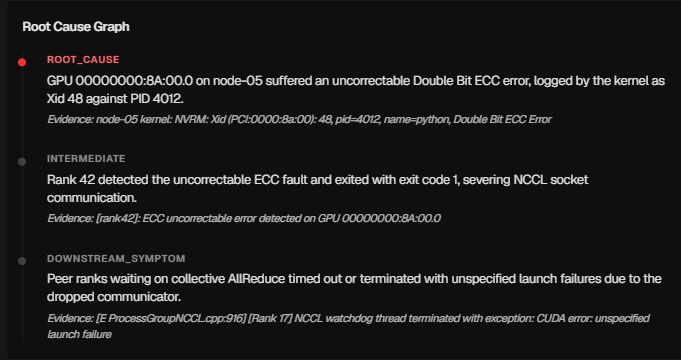
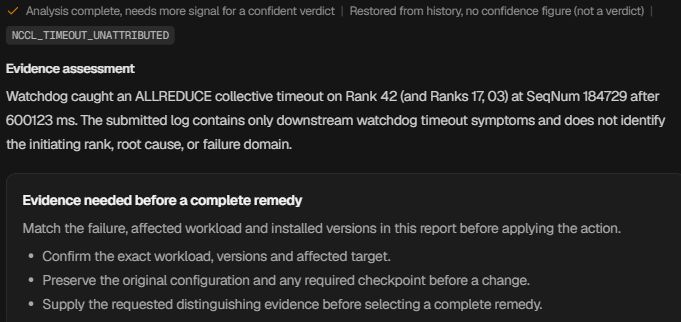
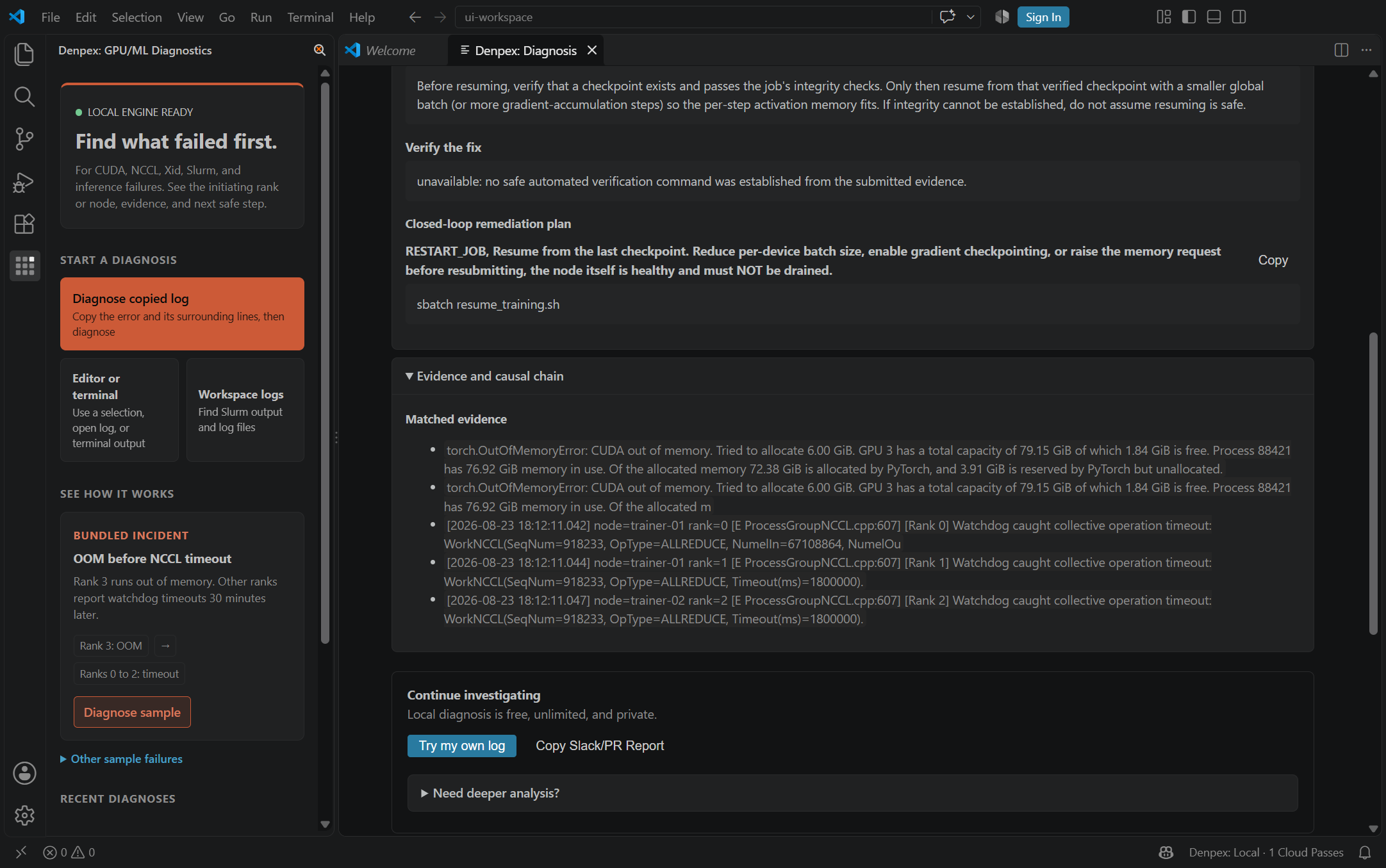
Follow the causal chain, inspect the quoted evidence and prepare the next handoff. These actual product captures use founder-account examples and the VS Code extension, with the source identified under each image. Open a capture to inspect it at full size.
Follow the failure through the cascade
Prepare the hardware escalation

Ask for the evidence that is missing
Keep the investigation in the editor
CoreWeave - Observed Runtime Evidence
Incident pattern summary
A 64-GPU training job on CoreWeave abruptly loses Rank 42, triggering a cascade of NCCL remote peer aborted errors across the remaining 63 ranks. Correlating node telemetry shows Rank 42 hit Xid 79 (GPU has fallen off the bus) 300ms before the container exited with code 137.
kernel: [84920.114892] NVRM: GPU at PCI:0000:c1:00: GPU-4a81b920-112c-98a1-b012-99182736451a
kernel: [84920.114898] NVRM: Xid (PCI:0000:c1:00): 79, pid=19482, name=pt_main_thread, GPU has fallen off the bus.
cw-h100-node-11:19482:19510 [5] NCCL WARN Cuda failure 700 'an illegal memory access was encountered'
Recommended verification flags
Set these environment flags in your training container or launch script to capture high-resolution collective logs:
NCCL_DEBUG=INFOTORCH_NCCL_ASYNC_ERROR_HANDLING=1CUDA_DEVICE_ORDER=PCI_BUS_IDDiagnostic Scope Boundary
Denpex cannot cordon CoreWeave Kubernetes nodes or trigger automated RMA workflows directly in your cluster. The evaluation produces clean root-cause attribution separating fatal GPU hardware faults from application crashes.
Other GPU Cloud Failure Workflows
Compare evidence patterns across multi-node fabrics, Kubernetes pods, and bare-metal environments.