For writer infrastructure and model engineering teams
Palmyra-Med loading failed: access, attention backend or allocation?
Preserve the first loader exception and environment revision. Establish that weights were accessible before interpreting a failed start as GPU memory exhaustion.
Free 30-day Team evaluation. No card or automatic subscription. Work email verification required.
Replay a resolved Writer workflow incident
Upload your log file. Review the selected evidence and masking, then run diagnosis. Keep the original log for any follow-up questions.
Before uploading, review cloud data handling and local options.
Upload your log file. Large files are processed in your browser. Only selected evidence is submitted when you run diagnosis.
Try Denpex for 30 days. FREE.
No credit card. No automatic subscription. See whether Denpex helps with an incident you already understand.
Start your free 30-day Team evaluation
Up to 50 diagnoses a day for 30 days. Verify your work email to activate an eligible company evaluation, then replay a resolved incident and compare the evidence and next steps with your team's confirmed cause.
What a useful evaluation should establish
Compare one incident your team has already resolved with the first failure, quoted evidence and remaining questions. Begin with this question: Did the account have access to the selected artifact? Only assign a process, device or recovery state when the submitted evidence establishes it.
Did the account have access to the selected artifact?
Evidence to compare: Redacted repository response, model revision and weight-loader status.
Gated-access errors can stop loading before GPU work starts. Do not expose tokens or treat an unavailable download as insufficient device memory.
Did the attention implementation initialize successfully?
Evidence to compare: Framework versions, selected attention backend and its first exception.
A backend compatibility failure and an allocation failure are different evidence. Record the operation before changing precision or the model footprint.
Does the failure belong to the local model worker?
Evidence to compare: Actual deployment path, placement and retained worker output.
The public model card is not evidence of Writer private hosted architecture. Keep this review bounded to the submitted local or self-hosted runtime.
Use Denpex alongside your existing telemetry tools to investigate submitted incident evidence. With monitoring configured on a supported plan, detected failures can trigger alerts and an automatic diagnosis from the captured evidence.
Inside Denpex
See the evidence, not just the claim
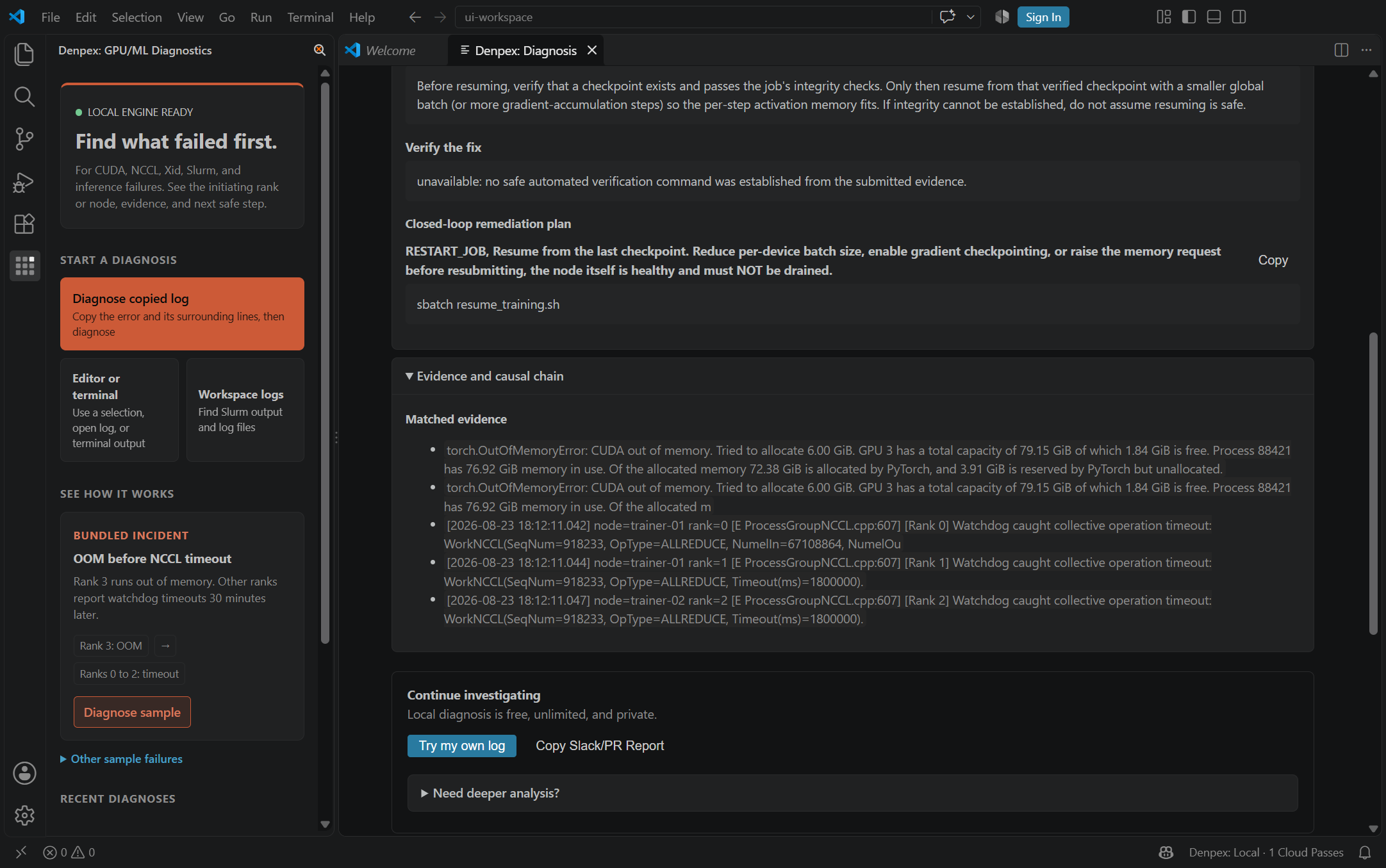
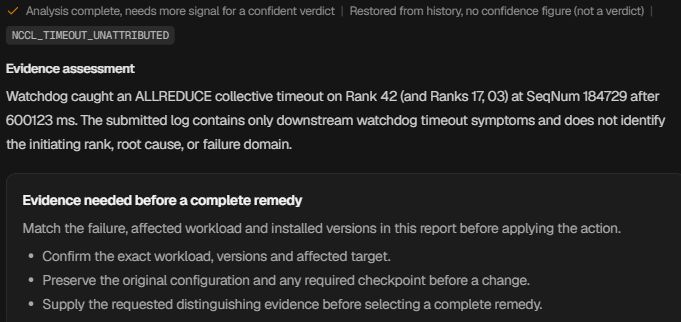
Follow the causal chain, inspect the quoted evidence and prepare the next handoff. These actual product captures use founder-account examples and the VS Code extension, with the source identified under each image. Open a capture to inspect it at full size.
Follow the failure through the cascade
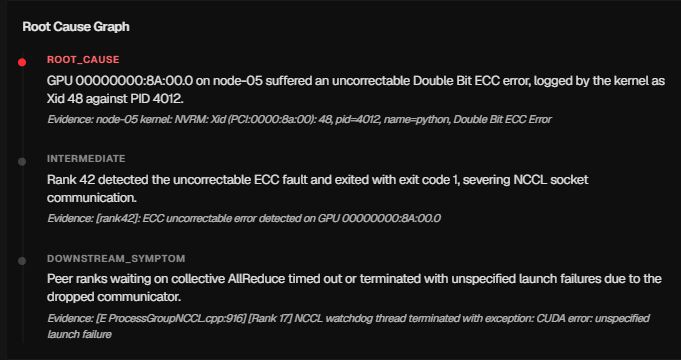
Prepare the hardware escalation

Ask for the evidence that is missing
Keep the investigation in the editor