For university of virginia rivanna infrastructure and platform teams
University of Virginia Rivanna: Open OnDemand request or GPU POD placement?
Connect the first useful exception with the relevant runtime evidence. Did the GPU POD request include its placement constraint?
Free 30-day Team evaluation. No card or automatic subscription. Work email verification required.
Replay a resolved University of Virginia Rivanna workflow incident
Upload your log file. Review the selected evidence and masking, then run diagnosis. Keep the original log for any follow-up questions.
Before uploading, review cloud data handling and local options.
Upload your log file. Large files are processed in your browser. Only selected evidence is submitted when you run diagnosis.
Try Denpex for 30 days. FREE.
No credit card. No automatic subscription. See whether Denpex helps with an incident you already understand.
Start your free 30-day Team evaluation
Up to 50 diagnoses a day for 30 days. Verify your work email to activate an eligible company evaluation, then replay a resolved incident and compare the evidence and next steps with your team's confirmed cause.
What a useful evaluation should establish
Compare one incident your team already resolved with the first failure, cited evidence and remaining questions. Did the GPU POD request include its placement constraint? Only assign a rank, device or safe recovery state when the submitted evidence establishes it.
Did the GPU POD request include its placement constraint?
Evidence to compare: Selected OOD partition, requested GPU type and Slurm placement constraints.
Selecting a GPU does not necessarily select a POD node. Establish the allocation topology before interpreting distributed startup or communication errors as device faults.
Was a GPU assigned to the affected process?
Evidence to compare: Job resource request, actual allocation and process-visible device mapping.
A GPU-capable node does not prove this process owns a device. Establish the allocation before interpreting missing visibility as a driver failure.
Which worker reported the earliest useful exception?
Evidence to compare: Matched process identifiers, per-worker timestamps and first retained exception.
A coordinator timeout may follow a worker exit. Retain the earlier exception and avoid assigning a rank or device unless the submitted identifiers support that mapping.
Use Denpex alongside your existing telemetry tools to investigate submitted incident evidence. With monitoring configured on a supported plan, detected failures can trigger alerts and an automatic diagnosis from the captured evidence.
Inside Denpex
See the evidence, not just the claim
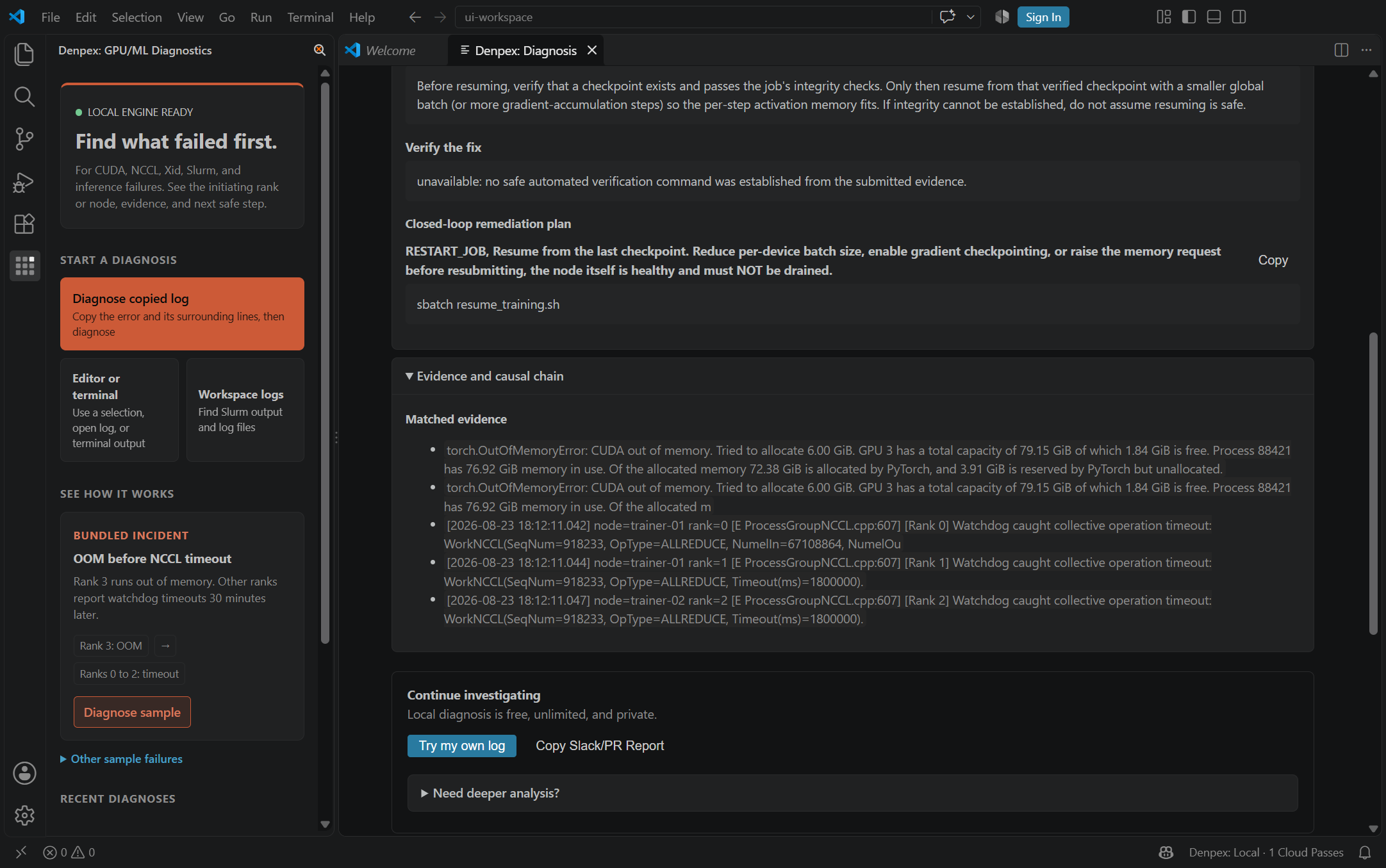
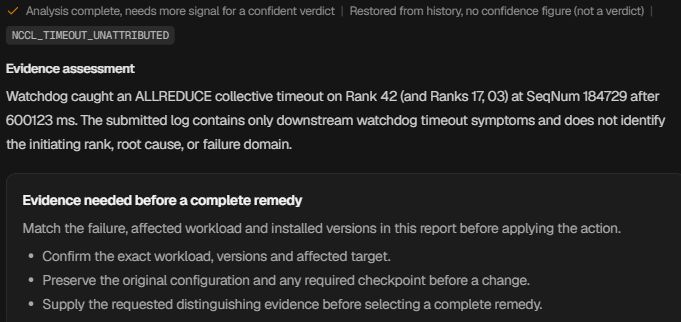
Follow the causal chain, inspect the quoted evidence and prepare the next handoff. These actual product captures use founder-account examples and the VS Code extension, with the source identified under each image. Open a capture to inspect it at full size.
Follow the failure through the cascade
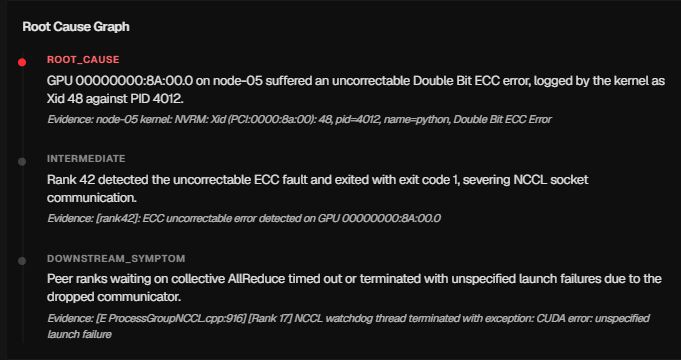
Prepare the hardware escalation

Ask for the evidence that is missing
Keep the investigation in the editor