Denpex vs NVIDIA DCGM
DCGM tells you a GPU is unhealthy. Denpex tells you why the run died. Most clusters need both.
What is NVIDIA DCGM?
NVIDIA Data Center GPU Manager is the vendor's own management and monitoring stack for datacenter GPUs. It exposes per-device telemetry (utilization, memory, temperature, power, clock throttle reasons), surfaces Xid errors and ECC counters from the driver, tracks row remapping and retired pages, and can run active diagnostics through dcgmi diag that deliberately stress a device to prove it is healthy. dcgm-exporter feeds all of it into Prometheus. On most GPU clusters DCGM is the ground truth for the physical state of the hardware.
What is Denpex?
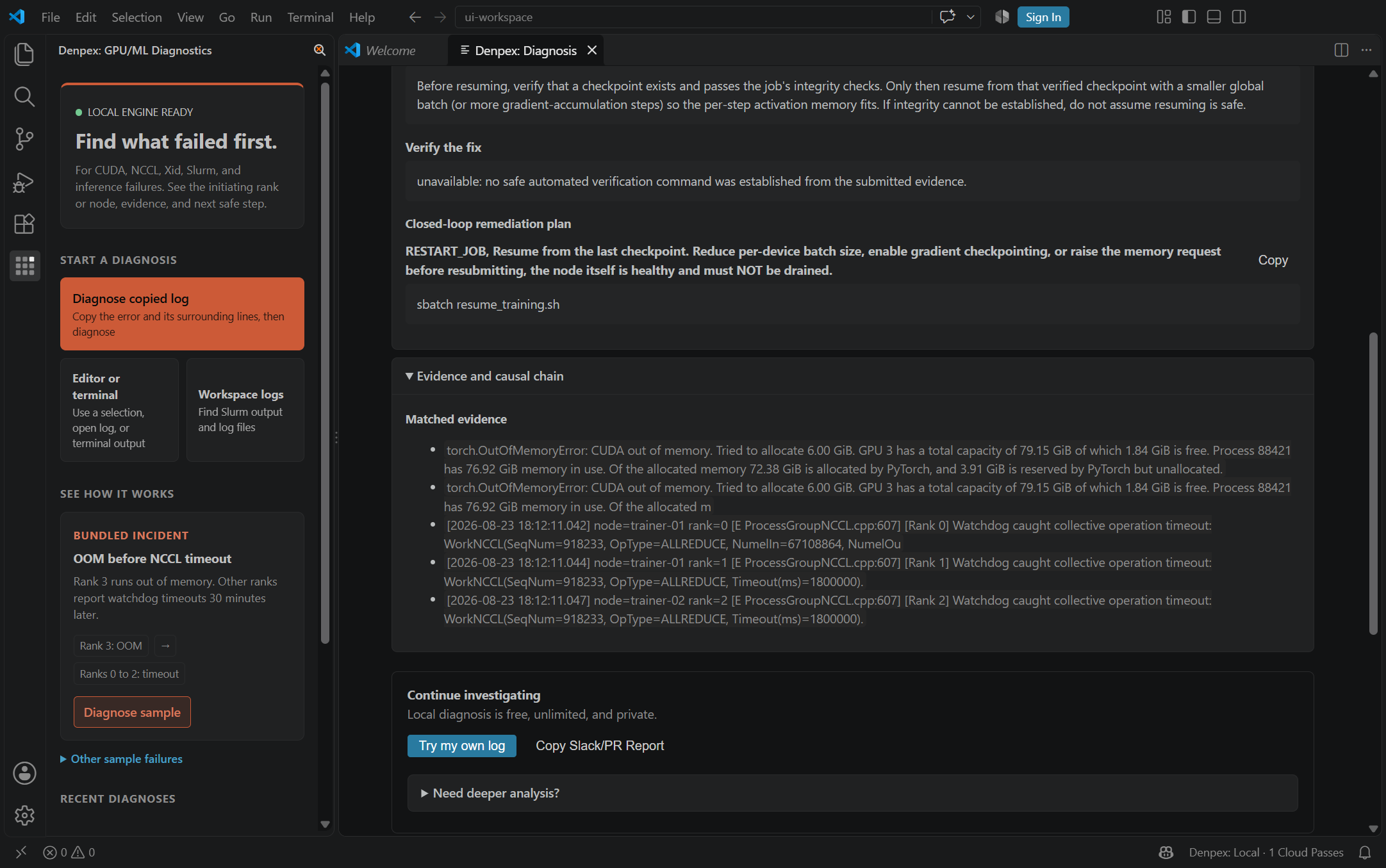
Denpex is a failure diagnosis engine for distributed training and inference runs. It reads the logs a failed job already produced, correlates them across ranks into a clock-drift-corrected timeline, classifies the failure against 16,400+ known signatures, and returns a ranked root cause with the evidence it used and a concrete next action. It works from a pasted log with nothing installed, and its unit of analysis is the run, not the device.
The core difference
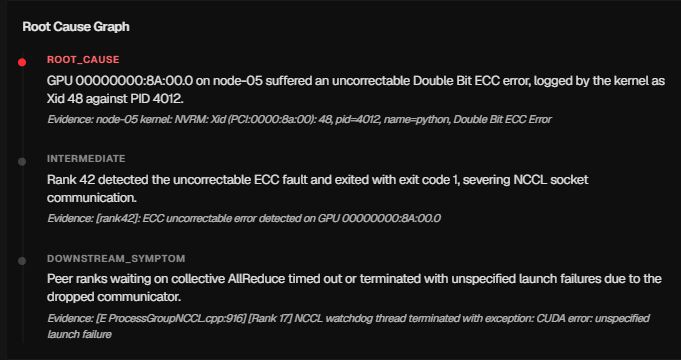
DCGM answers 'what is the state of this GPU right now'. Denpex answers 'what best explains why this run died, and what do I do next'. That gap is wider than it sounds on a multi-node job. A 512-GPU run that dies produces an Xid on one node and NCCL watchdog timeouts on the other 511, because every peer was blocked in a collective waiting for the rank that went away. DCGM correctly reports one unhealthy GPU. It has no way to say that the other 511 timeouts are consequences of it rather than 511 separate problems, because it has no model of the collective that connected them.
Feature comparison
| Capability | Denpex | NVIDIA DCGM |
|---|---|---|
| Per-GPU health, temperature, power, clocks | No | Yes |
| Xid error capture from the driver | Reads them from your logs | Yes |
| Active diagnostics that exercise the device (dcgmi diag) | No | Yes |
| ECC counters and row remapping state | No | Yes |
| Prometheus metrics export | No | dcgm-exporter |
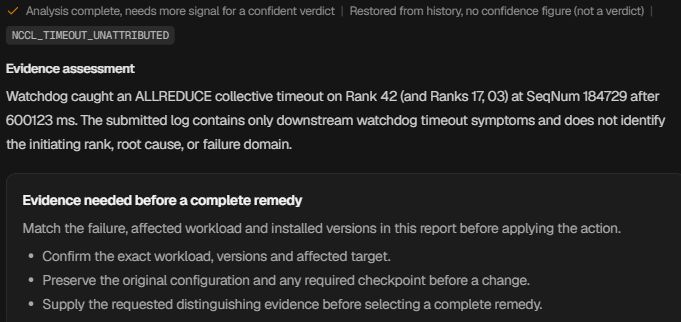
| Explains which rank failed first in a multi-node run | Yes | No |
| Separates the initiating fault from downstream victim ranks | Yes | No |
| Understands NCCL, FSDP, DeepSpeed and Megatron failure semantics | Yes | No |
| 11,700+ failure patterns with prescriptive fixes | Yes | No |
| Diagnoses a failure with no agent installed, from a pasted log | Yes | No |
| Tells you whether to RMA the GPU or fix the config | Yes | Reports device state only |
| Runs on AMD, Intel or mixed fleets | Log-based, vendor agnostic | NVIDIA only |
Verdict
Run DCGM as your device-level health and telemetry layer. It is the authoritative source for Xid errors, ECC counters, thermals and row remapping, and nothing else sees the GPU that closely. Reach for Denpexat the moment a distributed job dies and the question changes from "is this GPU healthy" to "which of my 512 ranks failed first, and was the GPU even the cause". DCGM is the sensor. Denpex is the diagnosis.
Key differences explained
The loudest signal is usually the victim
This is the single most expensive misread in distributed training. A hardware fault on one rank stalls a collective, every other rank hits its watchdog timeout, and the logs fill with hundreds of NCCL errors and one quiet Xid. Teams triage the NCCL errors because there are more of them. Denpex orders the evidence causally and reports the initiating rank, so the investigation starts at the fault instead of the fallout. DCGM is what confirms the hardware half of that answer once you know where to look.
Device health does not imply run health
DCGM can report every GPU in the fleet as healthy while a run is silently producing corrupted weights, stalling on a misconfigured NCCL transport, or losing a third of its throughput to one straggler. These are not device faults and DCGM is not wrong to stay quiet about them. They are the majority of what actually kills long training runs, and they need a tool that reasons about the job.
Xid alone does not decide an RMA
Not every Xid means a bad GPU. Xid 45 is a preemptive cleanup that frequently appears during a normal teardown, and treating it as a hardware fault sends healthy cards back. Xid 13 and Xid 31 are usually application memory faults, not silicon. Denpex classifies the Xid in the context of what the run was doing when it fired and says whether the next step is an RMA, a driver action, or a code fix. DCGM gives you the code and the counters, which is exactly the input that decision needs.
No agent required to get an answer
DCGM has to be installed, running and scraping before the failure in order to tell you anything about it. Denpex can diagnose a run from the log you already have, after the fact, on a cluster it has never seen. That matters most in the case teams actually hit: the incident already happened, the node has been recycled, and all that survives is the log a researcher pasted into Slack.
When to use each
Use NVIDIA DCGM when…
You need live per-device telemetry, thermal and power visibility, ECC and row-remapping tracking, or a burn-in diagnostic that proves a card before it goes back into the pool. You are running fleet health dashboards and node-drain automation. You need the authoritative Xid stream straight from the driver.
Use Denpex when…
A distributed run died and you need to know which rank failed first, whether the cause was hardware or configuration, and what to change before you burn another few thousand GPU-hours on a retry. You are triaging a log after the fact. You want the NCCL, FSDP or DeepSpeed failure interpreted rather than merely recorded.
Use both when…
This is the normal case on a production cluster. DCGM watches the hardware continuously and gives you the Xid, ECC and thermal record. When a job dies, Denpex reads the run logs and tells you which rank initiated it and why, and the DCGM counters for that node become the corroborating evidence for a hardware verdict. Neither replaces the other and they answer different halves of the same incident.
Integration path
Nothing to migrate. Keep DCGM and dcgm-exporter exactly as they are. Denpex reads logs, so the smallest useful setup is pasting a failed run's output into the free diagnosis tool. If you later install the agent, it wraps your training command and does not touch the DCGM host stack, its scrape endpoints, or its Prometheus configuration.
Frequently asked questions
Does Denpex replace DCGM?
No, and it cannot. DCGM reads the driver and the device directly, which is the only way to get real ECC counters, thermals, throttle reasons and active diagnostics. Denpex reads logs and reasons about runs. Removing DCGM to install Denpex would lose the hardware ground truth that makes a hardware verdict trustworthy.
Can DCGM tell me which rank caused an NCCL timeout?
No. DCGM has no model of your job's rank topology or of the collective the ranks were executing, so it cannot order events causally across nodes. It reports the health of each device independently. Identifying the initiating rank requires correlating the per-rank logs on a common timeline, which is what Denpex does.
If DCGM says every GPU is healthy, is my cluster fine?
It means no device-level fault is being reported, which is genuinely useful and not the same as a healthy run. Silent data corruption, NCCL transport misconfiguration, stragglers, gray failures and most framework-level faults leave every GPU reporting healthy. Those failure classes are diagnosed from the run, not from the device.
Does Denpex read DCGM metrics directly?
Not as a native integration today. Denpex works from the logs and artifacts you submit, and DCGM output included in those logs is used as evidence like any other signal. There is no DCGM scraper or Prometheus reader shipping at the moment, so keep dcgm-exporter feeding whatever it feeds now.
Which one should I install first on a new cluster?
DCGM, without question. It is the vendor tool for the hardware you just bought and it needs to be running before an incident to be useful during one. Denpex is valuable from the first failed run because it works retroactively on logs, so there is no penalty for adding it after the fact.
Does Denpex work on non-NVIDIA accelerators?
The diagnosis path is log-based, so it is not tied to the NVIDIA driver in the way DCGM necessarily is. Coverage is deepest where the corpus is deepest, which today is CUDA, NCCL and the PyTorch distributed stack. Treat non-NVIDIA fleets as partially covered rather than fully supported.